
Chat
Updated 8 September 2026
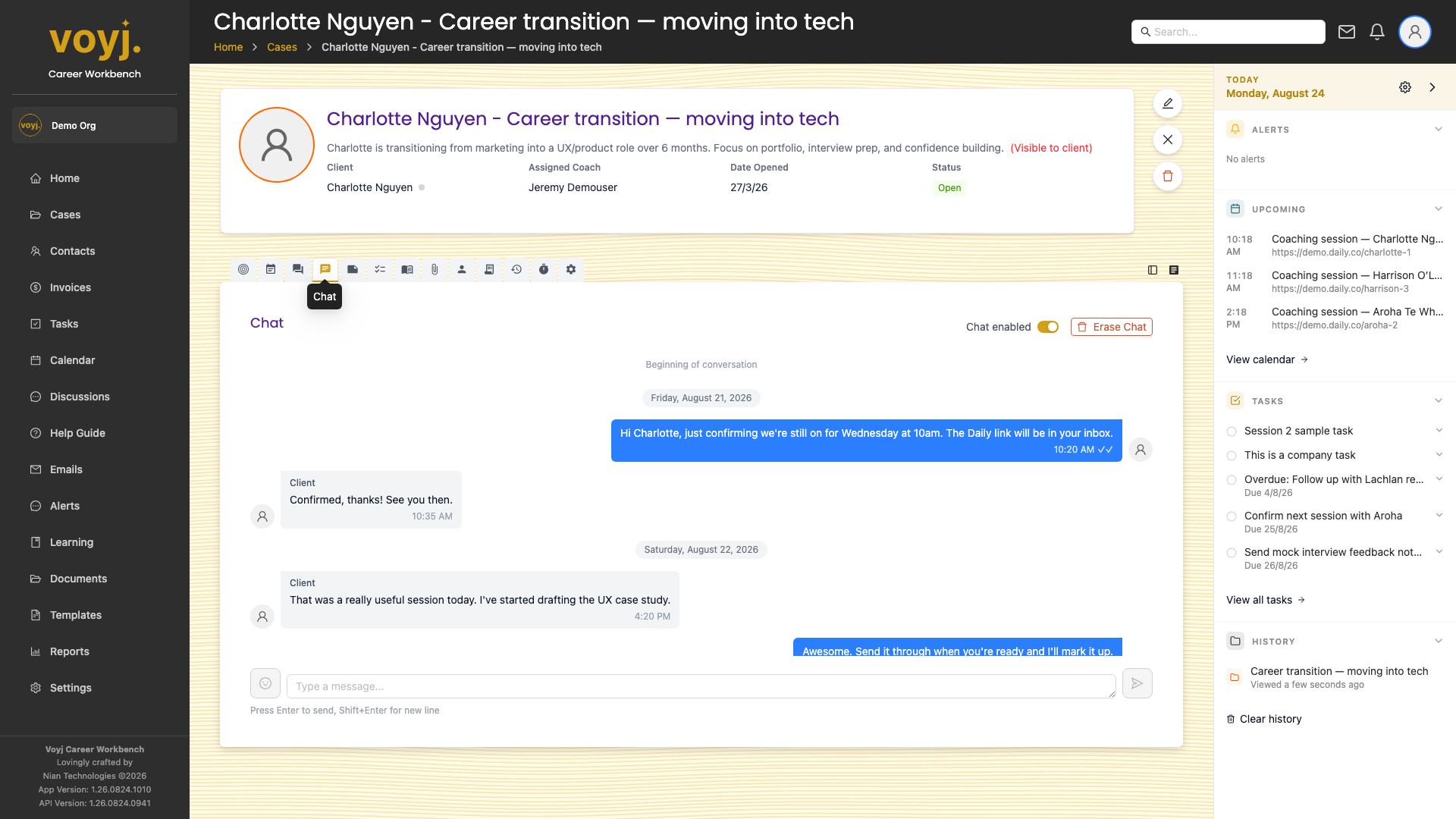
What you see on this tab
A chronological list of messages between the coach and the client, plus system messages (for example, when a session is scheduled). Each message shows the sender, timestamp and read status.
Send a message
- Type your message in the box at the bottom of the thread.
- Press Enter to send, or Shift + Enter for a new line.
- The client sees the message in real time. They can reply from their client portal.
Attach a file
- Click the paperclip icon next to the message box.
- Pick a file from your library or upload a new one.
- Send. The file appears inline in the chat and is also added to the case's Files tab.
Turn chat off for a case
- Open the case.
- Click the Settings tab.
- Toggle Enable chat off. The chat thread stays in the database but new messages can't be sent or received.