
Goals & Timeline
Updated 8 September 2026
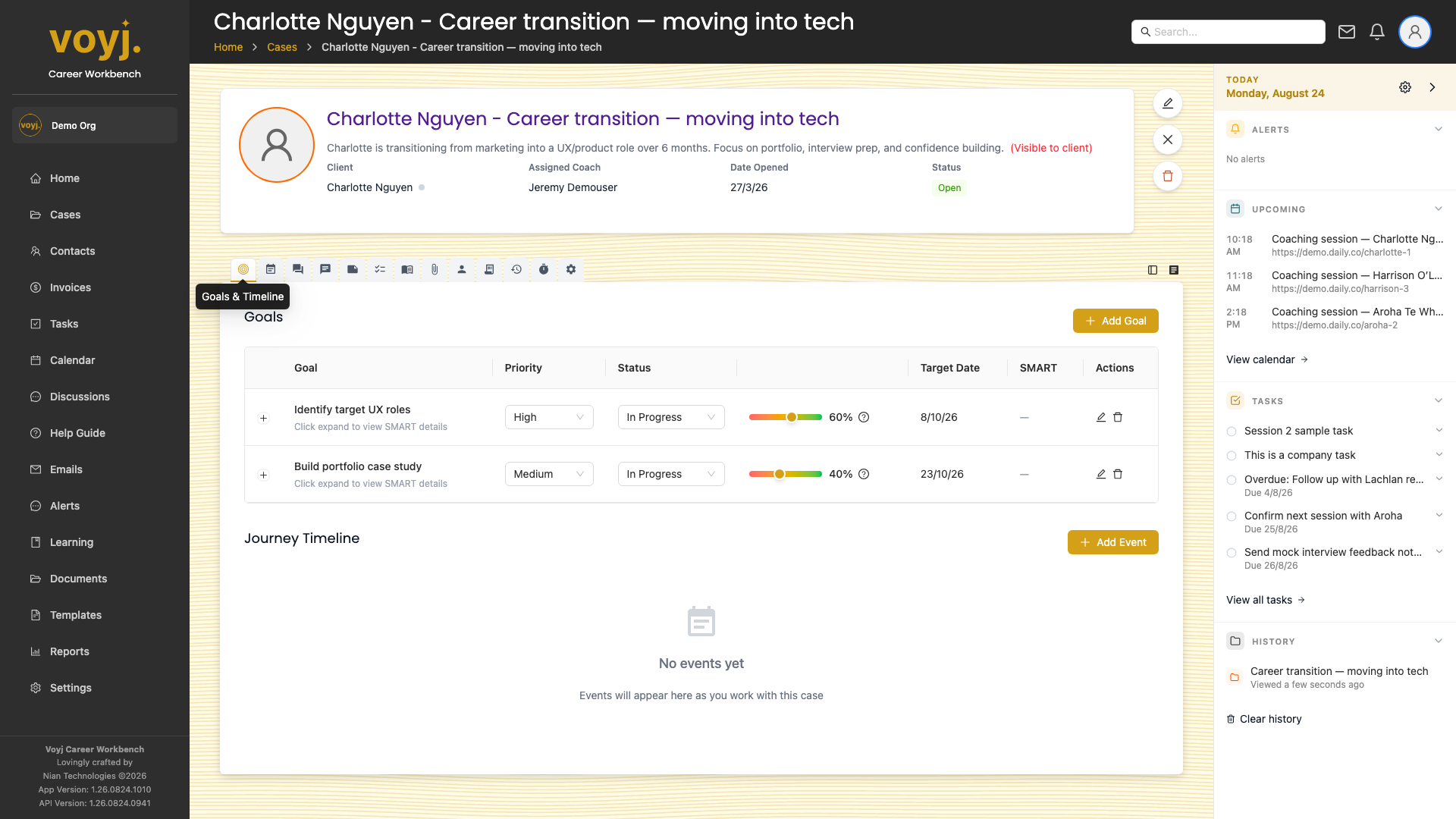
What you see on this tab
The tab is split in two. The top half is a table of goals; the bottom half is a vertical journey timeline.
- Goals table
- One row per goal. Columns: goal, priority, status, target date, SMART score and actions. Click a goal to expand it for editing.
- Journey Timeline
- Vertical timeline of every milestone event the case has hit. Icons by event type: first session, sessions completed, goals achieved, wins, milestones, notes added and custom events.
Add a new goal
- Click + Add goal in the top-right of the goals table.
- Type the goal title and a short description.
- Pick a priority: Low, Medium or High.
- Pick a target date and an initial progress percentage (0 to 100).
- Optionally fill in the SMART fields — Specific, Measurable, Achievable, Relevant and Time-bound.
- Click Save. The goal appears in the table; the journey timeline gains a new milestone once the goal is completed.
Goal field reference
- Title *
- Short verb-led description of the goal.
- Description
- Long-form context. Optional but useful for coach notes and reflections.
- Priority
- Low, Medium (default) or High. Sorts the goals list.
- Status
- Not started, In progress, Completed or Abandoned.
- Target date
- When the goal should be achieved. Used in the dashboard countdown.
- Progress percentage
- 0 to 100. Manually updated by the coach, or auto-calculated from SMART score if enabled.
- SMART fields
- One short paragraph per SMART dimension. The SMART score column is calculated by Voyj from these fields.
Mark a goal complete
- Click the goal row to open it.
- Set the status to Completed and the progress to 100.
- Click Save. A goal achieved milestone is added to the journey timeline automatically.