
Invoicing
Updated 8 September 2026
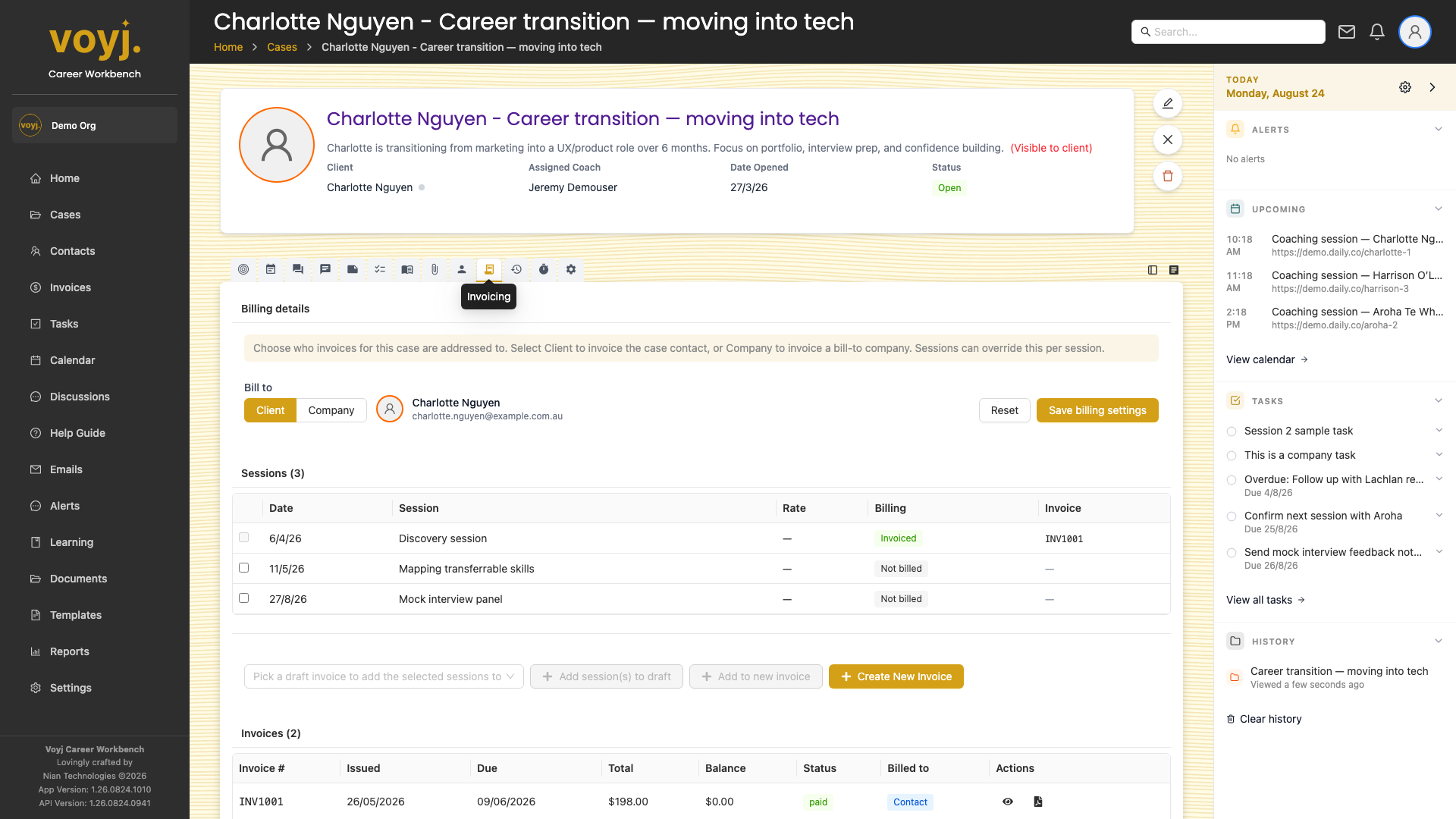
What you see on this tab
A table of invoices linked to the case, with columns for invoice number, status, total, due date and a link to the invoice detail. The + New invoice button starts an invoice pre-filled with this case's bill-to and line items from the case's completed sessions.
Create a new invoice from the case
- Click + New invoice.
- The bill-to target is pre-filled from the case. Override if needed.
- Voyj suggests line items from the case's completed sessions. Remove any you don't want to bill, or add a new one from the service list.
- Save as draft, or finalise to assign the next invoice number and lock the totals.
Allocate bundle sessions to this case
- Click Allocate bundle in the top-right of the tab.
- Pick the bundle (for example, 6-Session Career Transition Package) and the bill-to.
- Voyj shows the case's completed sessions. Pick the ones that count toward the bundle.
- Click Allocate. The bundle's session count decreases and the case is now linked to the bundle.