
Time Log
Updated 8 September 2026
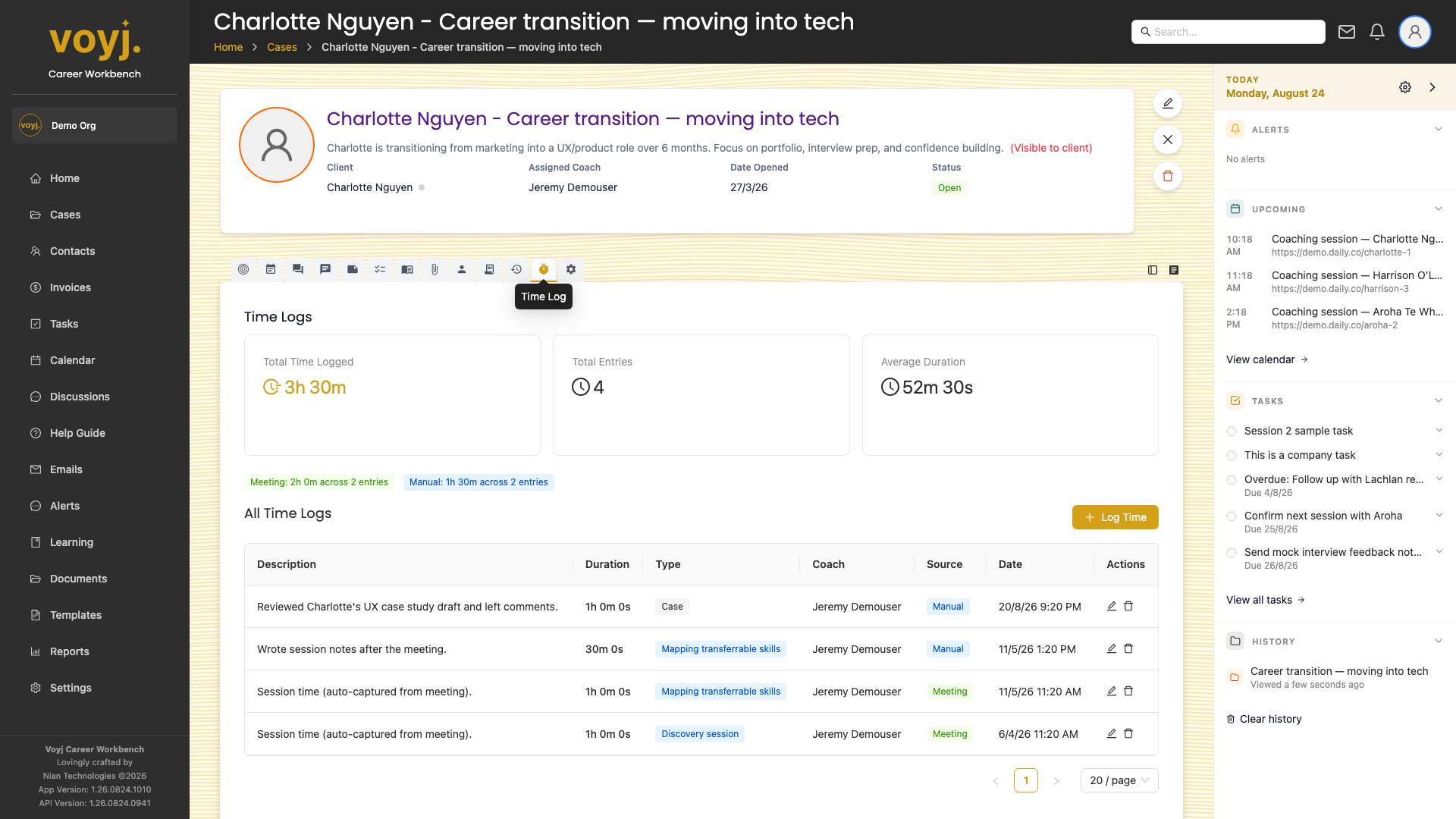
What you see on this tab
A table of time entries. Each row shows the date, the source (Meeting for time captured during a live session, or Manual for entries you log yourself), the duration, the description and the billable status.
Log a manual time entry
- Click + Log time in the top-right.
- Pick the start time and duration. Default duration is 30 minutes.
- Type a short description of what you worked on.
- Pick the billable status: Billable, Non-billable or Already billed.
- Save. The entry appears in the table.
Edit a time entry
- Click the three-dot menu on the row.
- Pick Edit or Delete. Deleting is permanent.