
Cases
Updated 8 September 2026
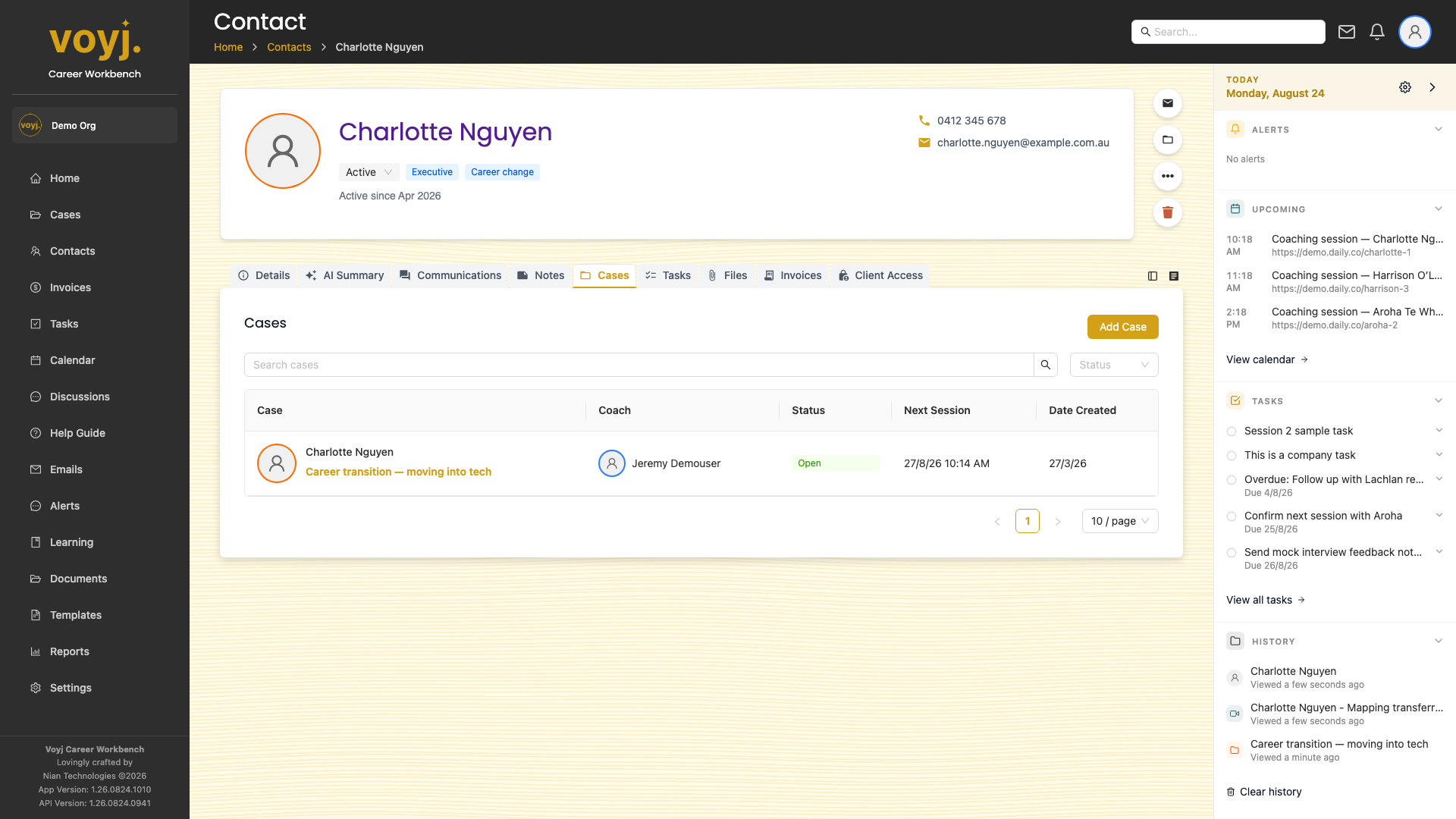
What you see on this tab
One row per case. The row shows the case title, status, coach, last activity and a link to open the case.
Open a case
- Click the case title. The full case page opens with all its tabs.
- Return to the contact when you are done.
Start a new case
- Click + New case in the top-right.
- The case wizard opens with this contact pre-filled.
- Complete the four steps (details, sessions, billing, summary) and create the case.
Field reference (for the linked case)
- Case title *
- Short, descriptive. Shown in the case list and on the contact's Cases tab.
- Status
- Open (default) or Closed. Closed cases are kept for history but cannot have new sessions scheduled.
- Coach
- Assigned coach. Determines who sees the case on their dashboard.
- Bill to
- Contact, company or sponsor. Determines who gets the invoices.