
Details
Updated 8 September 2026
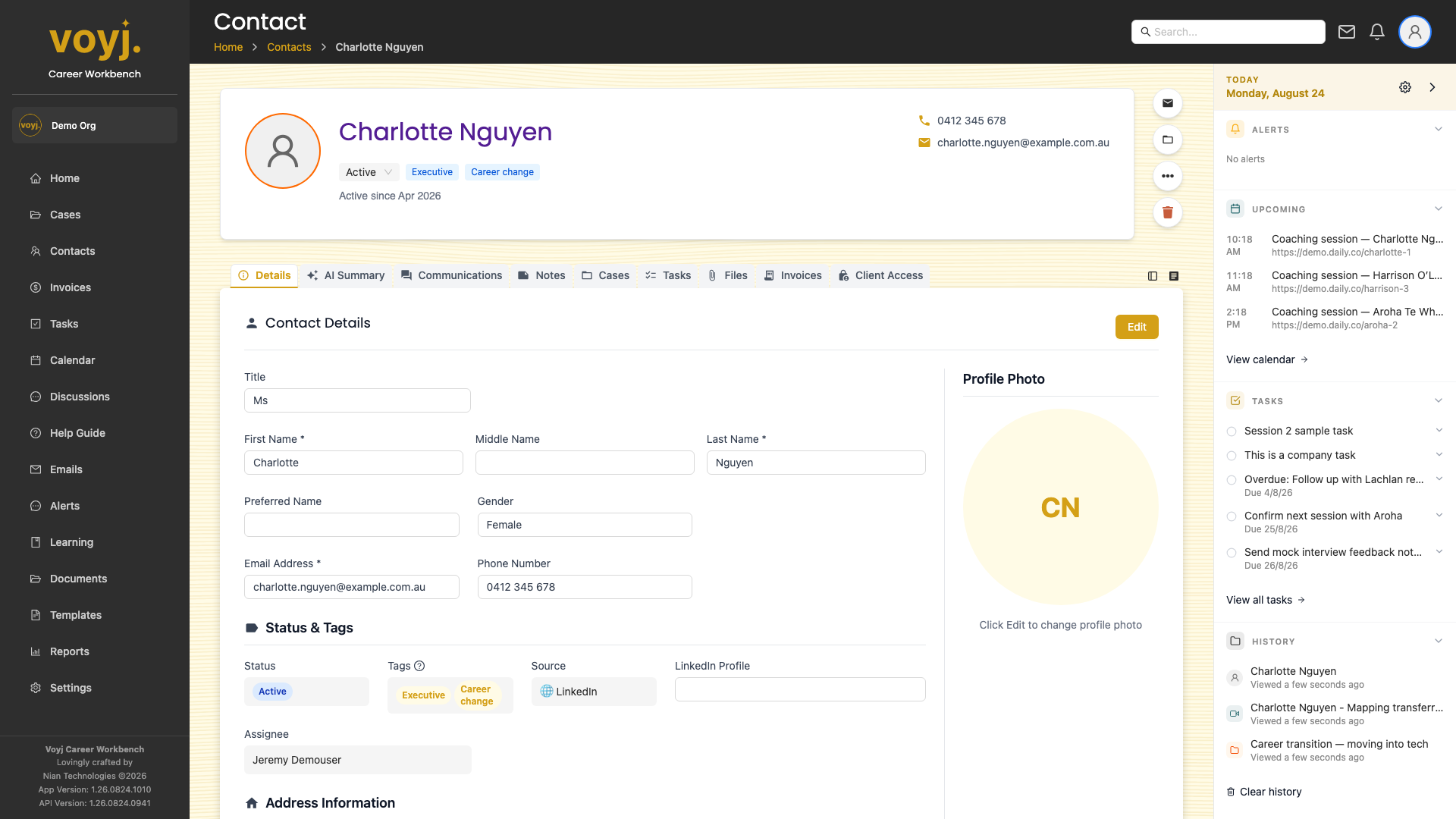
What you see on this tab
The contact's personal details at the top, address and time zone in the middle, and pipeline, source and tags at the bottom. Read-only fields show the source value; editable fields show a small pencil icon.
Edit a single field
- Click the pencil icon next to the field you want to change.
- Type the new value.
- Press Enter or click outside the field. Voyj saves the change immediately.
Edit the full record
- Click Edit in the top-right. The full edit form opens.
- Update the fields you need to change.
- Click Save. The contact page reopens with the new values.
Field reference
- Title *
- Honorific: Mr, Ms, Mrs, Dr, Prof or Mx.
- First name *
- Given name. Used in greeting lines.
- Last name *
- Family name. Used for sorting and search.
- Email *
- Primary email. Voyj uses this to match incoming emails and the client portal.
- Phone
- Daytime phone. International format recommended (for example,
+61 4xx xxx xxx). - Date of birth
- Optional. Used for birthday reminders if enabled in preferences.
- Gender
- Male, Female, Other or Prefer not to say. Optional.
- Pipeline stage
- Where the contact sits in your funnel. Lead, Prospect, Active, Inactive, Archived or Deleted.
- Source
- How the contact found you: referral, LinkedIn, website enquiry, networking event, newsletter, and so on.
- Tags
- Free-form labels for filtering.
- Address
- Street, suburb, state and postcode. For Australian contacts the state uses the two-letter code (NSW, VIC, QLD, WA, SA, TAS, ACT, NT).
- Timezone
- Defaults to your organisation's timezone. Override per contact for different regions.
- Default payment term
- Net 7, Net 14, Net 30 or Due on receipt. Used when an invoice is created against this contact.
- Opt out
- Off by default. When on, Voyj stops sending marketing emails to the contact.