
Invoices
Updated 8 September 2026
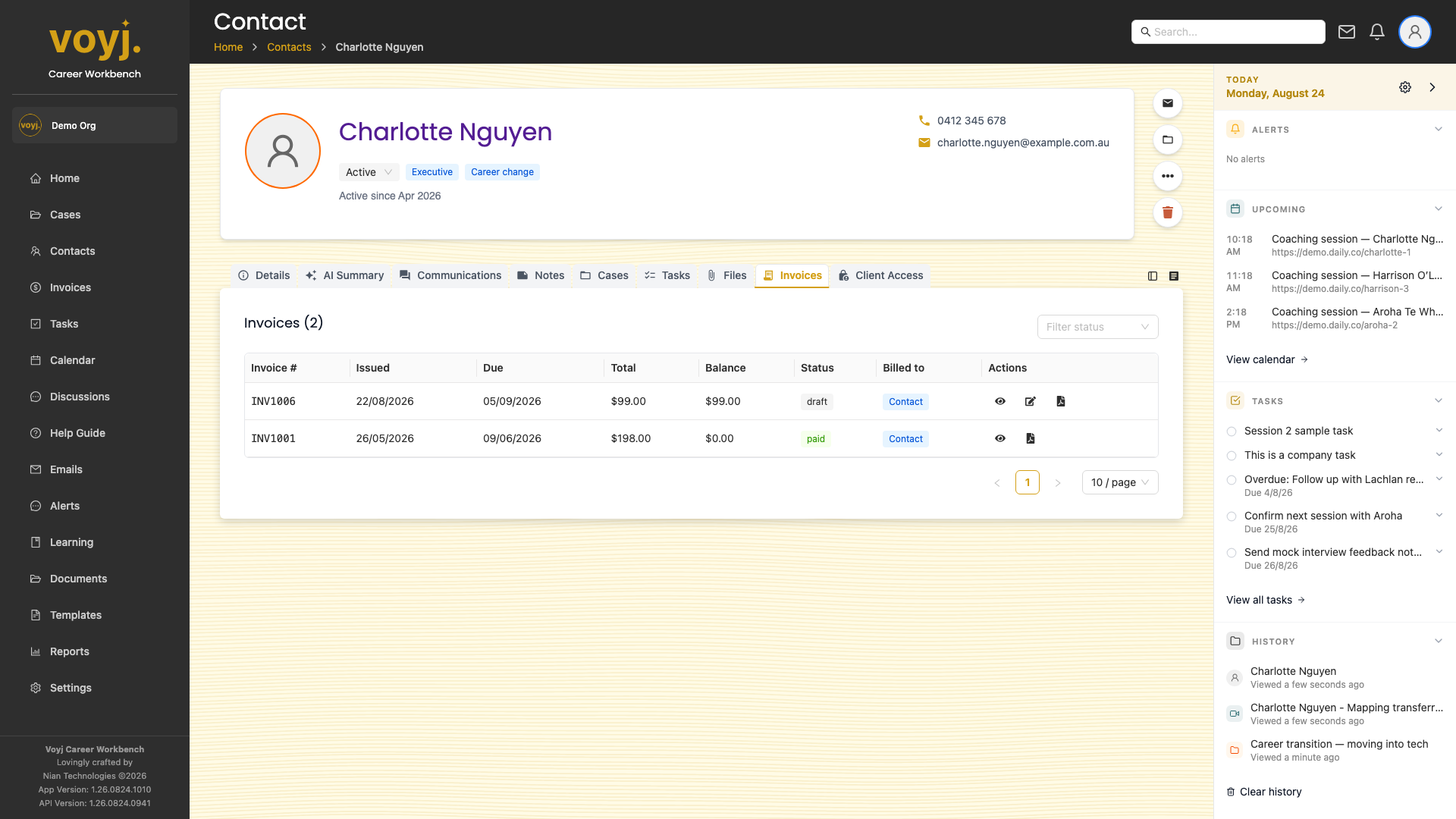
What you see on this tab
One row per invoice. The columns are: invoice number, status, issued date, due date, total and a link to the invoice detail. Supervisors and admins can create a new invoice from this tab.
Open an invoice
- Click the invoice number. The invoice detail page opens with the line items, payments and a PDF preview.
- Return to the contact when you are done.
Create a new invoice
- Click + New invoice in the top-right.
- The bill-to target is pre-filled with this contact. Override if needed.
- Add line items from services or pull completed sessions from a case.
- Save as draft, or finalise to assign the next invoice number.
Status reference
- Draft
- Editable. Not yet sent.
- Finalised
- Totals locked, invoice number assigned, not yet sent.
- Sent
- Emailed to the contact.
- Paid
- Fully paid.
- Overdue
- Past the due date and not paid.
- Refunded / Voided
- Cancelled after the fact.