
Assigned Courses
Updated 8 September 2026
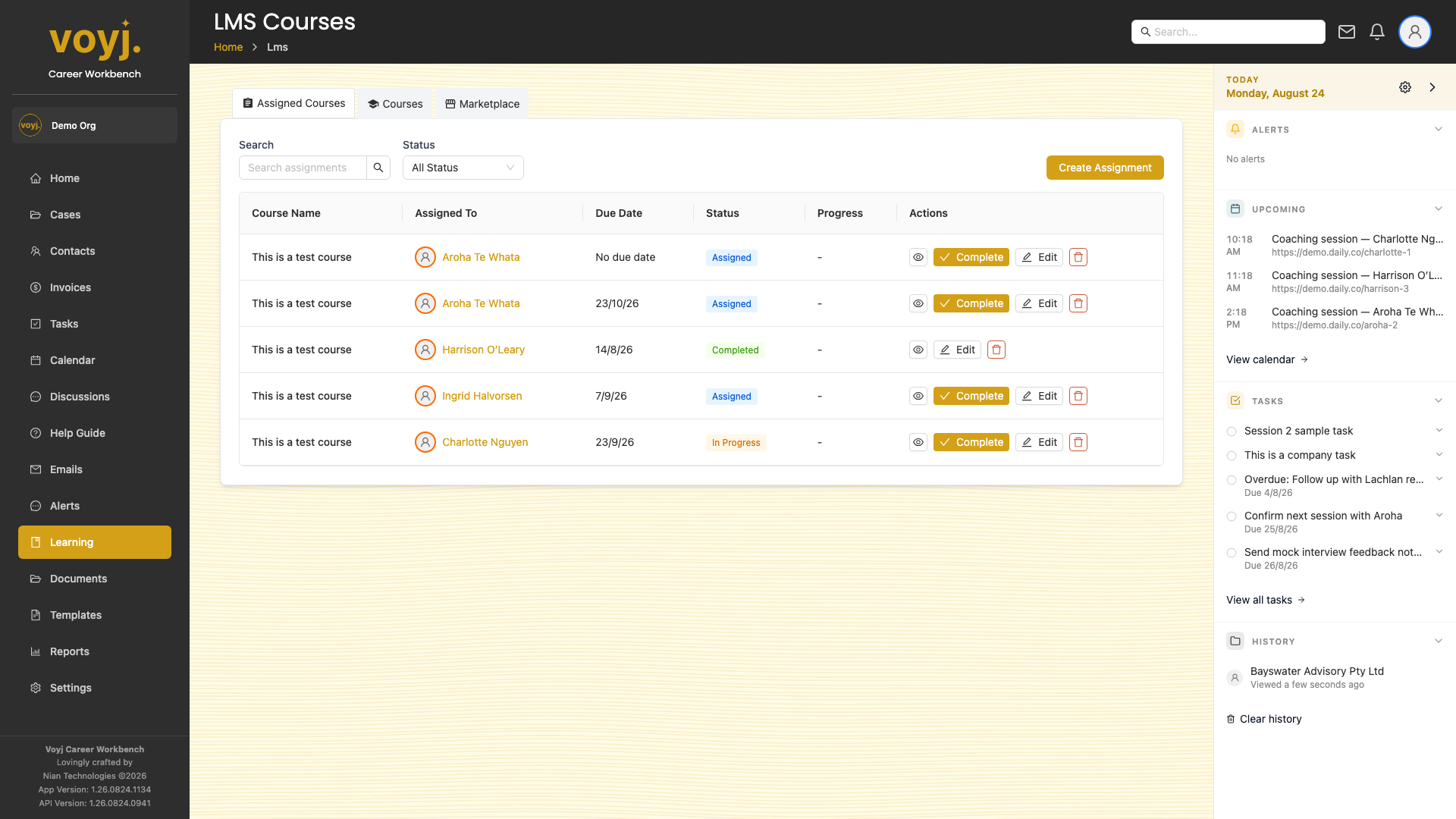
What you see
Course title, assigned client, due date, status (Assigned / In progress / Completed) and progress as a percentage bar.
Assign a course
- Open the case or contact you want to assign a course to.
- Click Assign course.
- Pick the course from the Courses tab (or upload one from the Marketplace).
- Set a due date and any notes. Save.
Review progress
Click a row to see the modules the client has completed, time spent and any quiz results. Use this view before each session to anchor the conversation in real outcomes.