
Session Notes
Updated 8 September 2026
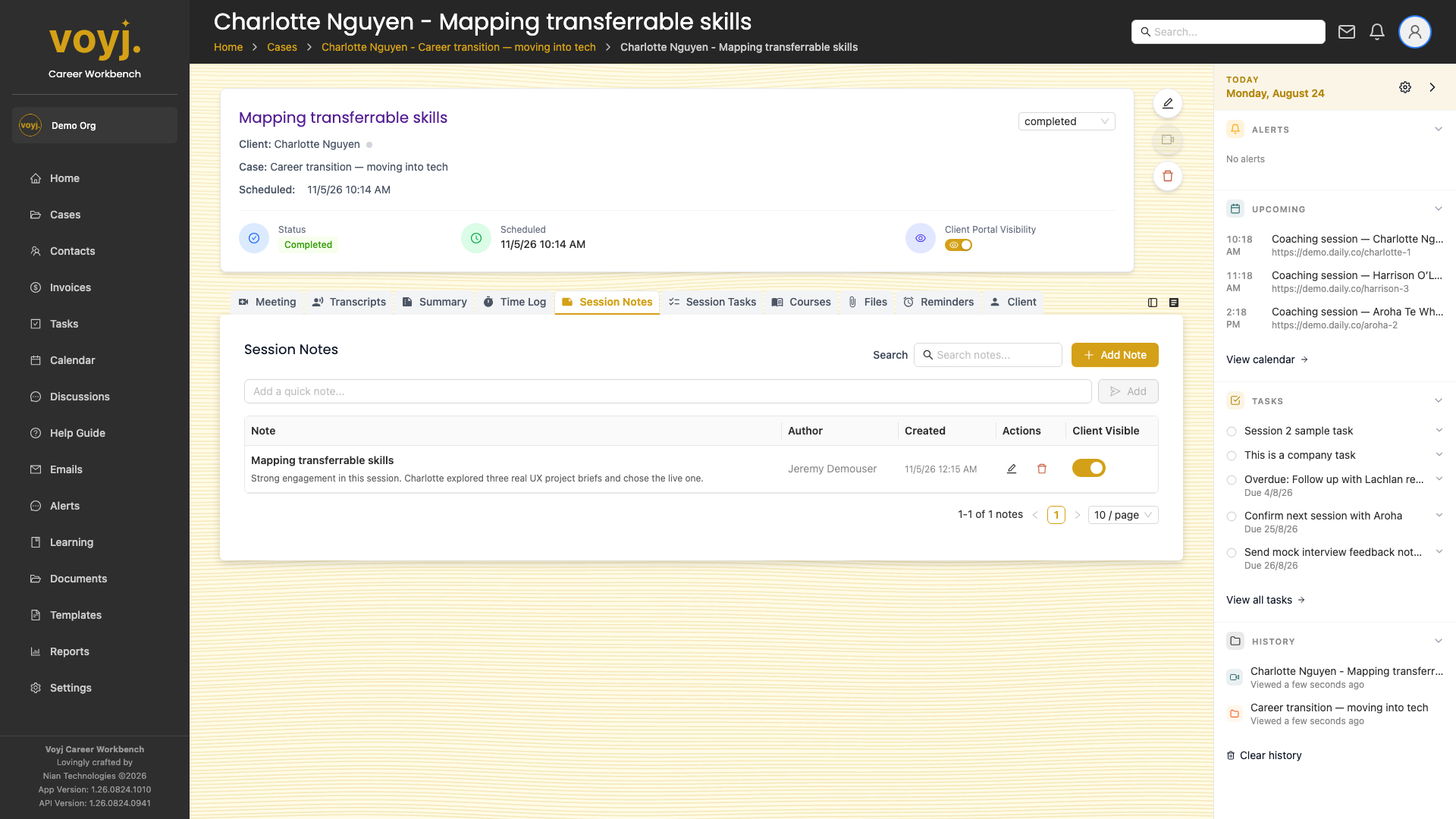
What you see on this tab
Free-form notes attached to the session. Each note shows the author, timestamp and (if relevant) whether the contact can see it through the client portal.
Add a session note
- Click + New note.
- Type the note body. The title defaults to today's date and the session name.
- Toggle Client visible on to share with the contact.
- Save. The note appears in the list and (if shared) on the contact's portal.
Field reference
- Title *
- Defaults to the session name. Override to give the note a clear headline.
- Body *
- Free-form. Rich text and markdown supported.
- Client visible
- Off by default. When on, the contact sees the note in their portal session view.
- Tags
- Free-form labels.