
Companies
Updated 8 September 2026
Find the Companies tab
- Open Contacts from the sidebar.
- Click the Companies tab. The list shows each company with the number of contacts linked to it.
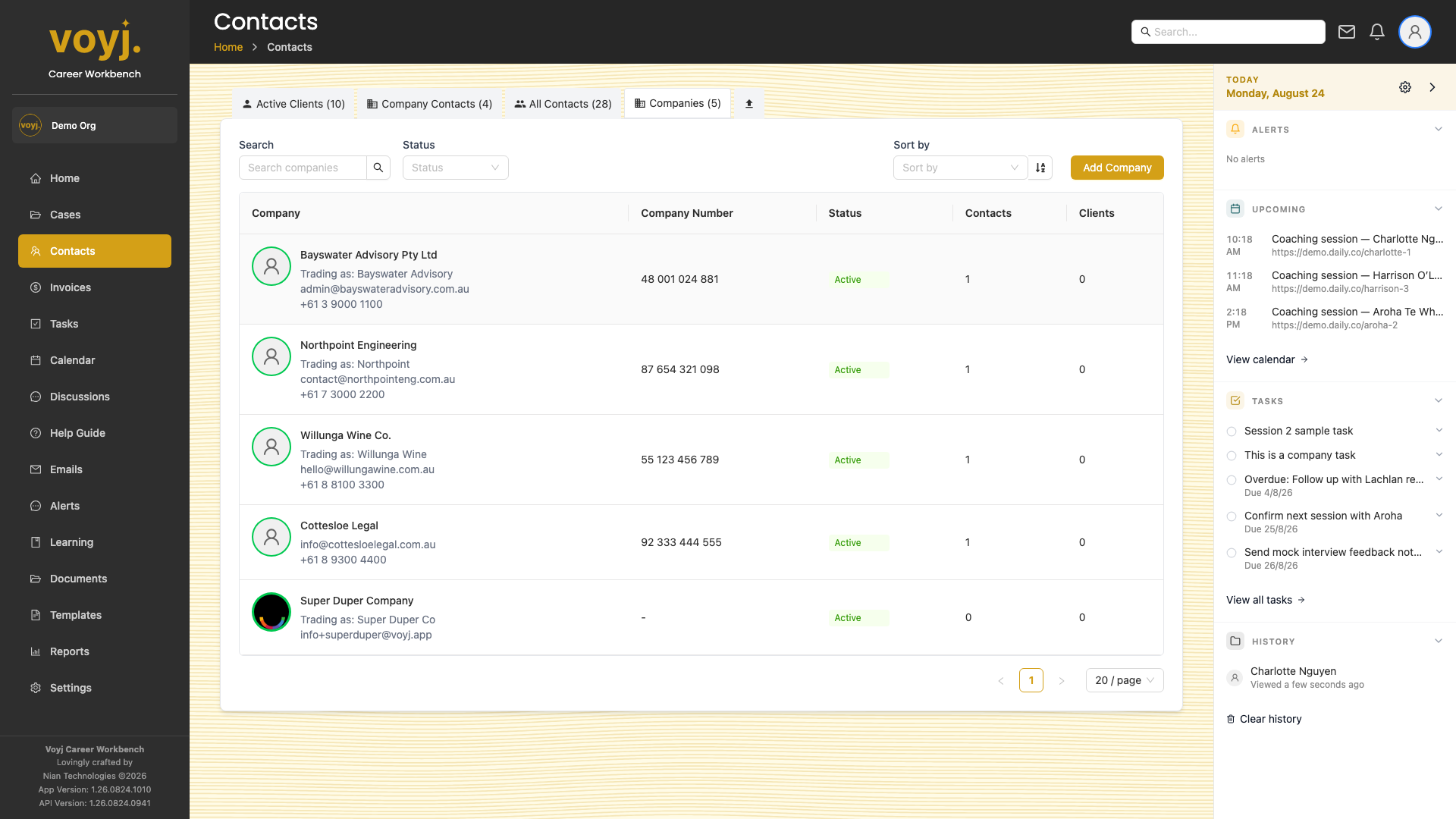
Add a company
- Click + Add company.
- Fill in the basics. Trading name, ABN/ACN (in company number), address and a primary contact.
- Choose whether coaches can see the company. The Visible to coaches toggle controls whether non-admin coaches see the company record. It is on by default for admin-created companies.
- Save. The new company appears in the list.
Link a contact to a company
- Open the contact. Use the contacts list to find the person.
- Click Edit and pick the company from the Company dropdown.
- If the link should be primary (their main employer), tick Primary.
- Save. The contact now appears in the Contacts tab of the company's detail page.
Field reference
- Company name *
- The registered legal name, for example ACME Coaching Pty Ltd. Used on invoices and contracts.
- Trading name
- The name the company uses day-to-day if different from the legal name. Shown on quotes and in the sidebar.
- Company number
- ABN for an Australian company, ACN if it is a registered Australian company, or an equivalent overseas identifier. Eleven digits for an ABN, nine for an ACN.
- Status
- Active (default), Inactive, Pending or Archived. Inactive companies stay in the system but are hidden from dropdowns.
- Default payment term
- Net 7, Net 14, Net 30 or Due on receipt. Used when an invoice is created against this company unless overridden.
- Visible to coaches
- Off by default for supervisor-created companies. Admins can toggle this to make the company record visible to all coaches.
- Tags
- Free-form labels. Examples: SME, ASX-listed, Not-for-profit.
Company detail tabs
Every tab on the company detail page has its own dedicated page in this guide, with the screenshot and a field reference where the tab includes forms.
- DetailsFull record: name, ABN, address, payment terms
- ContactsEvery individual linked to the company
- ClientsActive coaching clients at the company
- InvoicesInvoices billed to the company
- CommunicationsEmails, calls and texts involving the company
- NotesAccount-level journal entries
- TasksAccount-level to-dos
- FilesDocuments uploaded against the company